
 FREE
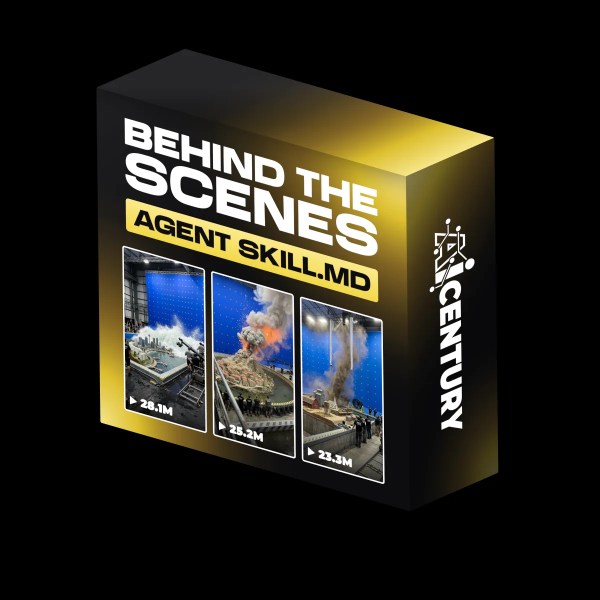
🎬 Name a city or upload a skyline, pick a disaster → get one image prompt and one matched video prompt of it as a tiny model wrecked by practical effects on a giant soundstage. Read more
Product Description
Behind the scenes (Instant Download)
Behind the scenes is an agent skill for Claude, ChatGPT or any other AI chatbot that rebuilds any city or landmark as a tiny practical model inside an enormous film soundstage, then wrecks it with a massive practical disaster, all shot as amateur behind-the-scenes phone footage with full-size crew towering over the miniature. Name a place or upload a skyline photo, pick a disaster, and your chatbot writes one image prompt and one matched video prompt. Once it is set up in your chatbot, it opens with a numbered disaster menu, describes every landmark in generic shape, colour and material wording so no real name or logo ends up in a prompt, and appends the same signature clause and hard negatives to every prompt so the look never drifts.🔥 Product Features and Benefits
📏 A Tiny Model In A Huge Space
The usual failure is a tabletop diorama in a small room. Every prompt here sinks the model into a water tank set flush into the floor and about 30 metres across, under a blue chroma wall rising about five storeys and covered in small orange tracking crosses, with crew in EFFECTS CREW tees at the tank lip standing as tall as the model's towers and a camera crane in shot, and the model held to the lower third of the frame.🌊 Eleven Practical Disasters
Pick tsunami, volcano, explosion, tornado, flood or meteor from the first menu, or type More for firestorm, sandstorm, earthquake, blizzard and an original giant monster stomp. Each one comes with its own disaster tag and the real machine that makes it, a water tank with RC boats, giant fans with drop tubes, or smoke and pyro, so the effect reads as physical, never CG.🎥 One Clip, Four Timed Beats
The video prompt reuses the exact set, crew and framing of the image, then runs a five-to-eight-second arc: the quiet set, a director calling Action off camera, the impact erupting many storeys up the screen, and the aftermath settling loop-ready. Sound is diegetic only, the roar, crew shouts and machine hum, ending with the words no music, no narrator. Choose a vantage too: low at the tank lip, a raised gantry or a crane follow.⚙️ What you need
- An AI chatbot: Claude, ChatGPT or any other. To start from a skyline photo, use one that can read uploaded images.
- An AI image model and an AI video model to paste the prompts into; for an uploaded skyline the image model needs to accept a reference image.
- Credits on whichever models you use.
- No coding, and nothing to install besides the skill.
📥 How to Use
- Download the Behind the scenes skill.
- Add it to Claude, ChatGPT or any other AI chatbot you use.
- Type Start and pick a disaster by number, or type More for the second set.
- Name a city or landmark, or upload a photo of a skyline.
- Paste the image prompt into your image model, then the matched video prompt into your video model, and render.