
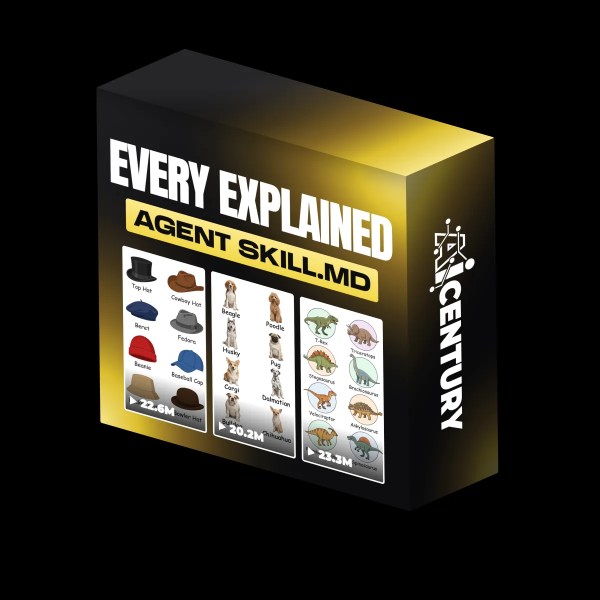
 FREE
📚 Type Start or any topic → get list-based video titles that end in Explained, an item-by-item narration script for the one you pick, and three 16:9 grid thumbnail prompts. Read more
Product Description
Every Explained (Instant Download)
Every Explained is an agent skill for Claude, ChatGPT or any other AI chatbot that plans list-based explainer videos for YouTube, with titles such as Every Type of [Topic] Explained. Your chatbot suggests titles with unique IDs, writes the narration script item by item for the one you choose, and then writes three thumbnail prompts that show every item from the script in a clean grid. Once it is set up in your chatbot, it runs three stages in order: titles, script and thumbnails. Type Start for five to seven niches with 8 to 12 titles each, type a topic for one focused list, or paste your own title ending in Explained to go straight to the script.🔥 Product Features and Benefits
🎙️ A Script With No Filler
AI scripts usually open with a hook, a greeting and a channel plug before the first real item. This script starts straight with item one, gives each item its own paragraph that opens with just the item's name, and explains what it is, where it comes from, what makes it different and why it matters. It defaults to 10 to 12 items in calm, natural narration, and you can ask for it longer, shorter, simpler or more detailed.💡 Titles That Fit The Format
Every title is list-based, ends with Explained and covers a topic a general audience knows at once, with room for about 8 to 20 items. Each title gets a unique ID such as FOOD-01, nothing repeats within the conversation, and typing More gives you a fresh batch.🖼️ Three Thumbnail Styles From One Script
Say yes to a thumbnail and you get three prompts: vector, photorealistic and coloured illustration. Each puts 8, 10, 12, 15 or 20 of the script's items on a pure white 16:9 background in a balanced grid, in script order, with no shadows and a solid black Comic Sans MS label under each item. Ask for circles or squares and all three come back with every item framed in a badge or a tile.⚙️ What you need
- An AI chatbot: Claude, ChatGPT or any other.
- An AI image model to paste the thumbnail prompts into.
- Credits on whichever model you use.
- No coding, and nothing to install besides the skill.
📥 How to Use
- Download the Every Explained skill.
- Add it to Claude, ChatGPT or any other AI chatbot you use.
- Type Start, or type a topic, to get a list of video titles with IDs.
- Reply with the ID and the exact title you chose, or paste your own title ending in Explained, to get the script.
- Say yes to a thumbnail and paste the style you like into your image model.