
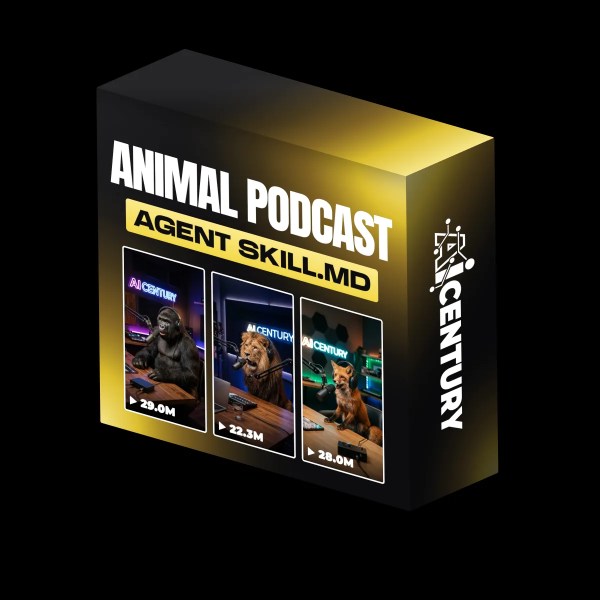
 FREE
🎙️ Name an animal, an LED colour and your neon logo text → get one ultra-realistic image prompt of that animal hosting a podcast, composed for a social media thumbnail. Read more
Product Description
Podcast Animal Scene Generator (Instant Download)
Podcast Animal Scene Generator is an agent skill for Claude, ChatGPT or any other AI chatbot that writes an ultra-realistic image prompt of any animal hosting a podcast. A gorilla, a panda or any animal you name sits at a modern wooden podcast table in studio headphones, speaking into a microphone on a boom arm, with your own text glowing on a neon sign behind it. Once it is set up in your chatbot, it asks for just three things, the animal, the LED-light colour and the neon logo text, and drops them into one fixed prompt template, so you get the same polished studio scene every time.🔥 Product Features and Benefits
🔒 The Same Studio Look Every Time
Writing a podcast scene from scratch often gives a different room, microphone or framing on every try. Here the prompt wording stays fixed and only your animal, LED colour and logo text change, so a whole series of thumbnails keeps one look.💡 Your Colour, Your Neon Logo
Pick the LED-light colour, for example purple, blue, green or red, and the soundproof studio glows in that hue. Your logo text appears on a glowing neon sign on the wall behind the host, with the background softly blurred so nothing pulls focus from the animal.📱 Built For Social Media Thumbnails
The animal sits centred, turned slightly towards the microphone in a confident mid-conversation pose, with cinematic warm light on its face and fur. If your chatbot can create images, it can also make the picture for you in TikTok (9:16), YouTube (16:9) or Instagram (1:1).⚙️ What you need
- An AI chatbot: Claude, ChatGPT or any other.
- An AI image model to paste the prompt into, or a chatbot that can create images itself.
- Credits on whichever model you use.
- No coding, and nothing to install besides the skill.
📥 How to Use
- Download the Podcast Animal Scene Generator skill.
- Add it to Claude, ChatGPT or any other AI chatbot you use.
- Type the animal, the LED-light colour and the neon logo text, for example panda, green, PandaCast.
- Copy the finished image prompt, or say yes if your chatbot can create the image itself.
- Pick TikTok (9:16), YouTube (16:9) or Instagram (1:1) and generate your thumbnail.