
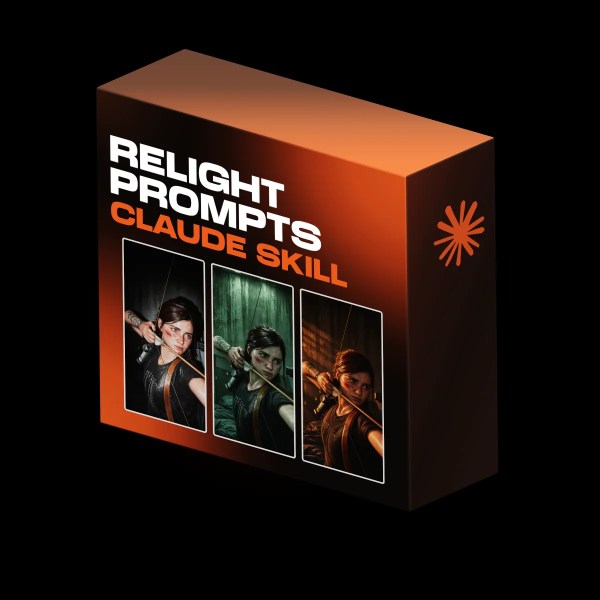
 FREE
🎬 Turn One Image Into 24 Cinematic Lighting Effects! Create viral-style AI lighting videos in minutes with the Relight Skill for Claude. Simply upload one image, and Claude automatically generates 24 unique lighting setups, adds voiceover, background music, and transitions, and turns everything into a ready-to-post 9:16 MP4 video. ✅ 24 cinematic AI lighting effects ✅ Automated video creation with OpenArt or Higgsfield ✅ Voiceover, music, and smooth transitions included ✅ Optional call-to-action ending ✅ No coding, prompt writing, or video editing required Upload your image, let Claude do the work, and download your finished video! Read more
Product Description
🎬 Relight Skill — Turn One Image Into 24 Cinematic Lighting Setups
- 2.5 million views and approximately 8,000 new followers from one video.
- 4 million views and 17,782 new followers from 13 videos using the same format.
💡 What Does the Relight Skill Do?
Upload one image, and Claude handles the entire process:- Creates 24 cinematic lighting prompts.
- Generates all 24 images through OpenArt or Higgsfield.
- Adds voiceover and background music.
- Builds the title, lighting list, and progress bar.
- Automatically times every transition.
- Creates an optional call-to-action (CTA) ending.
- Exports a ready-to-post 9:16 MP4 video.
⏱️ Built for Short-Form Content
The Relight Skill follows the same fast-paced format used in my viral videos. Every lighting setup receives its own moment, synchronized with a voiceover that names the lighting effect. A slow camera push keeps each image moving, while a two-column list of all 24 lighting setups and a progress bar help maintain viewer attention. Video duration:- Standard video: approximately 22 seconds.
- With optional CTA ending: approximately 27 seconds.
🎨 Smart Image Preparation & AI Generation
Before generating anything, Claude analyzes and prepares your uploaded image. Automatic image preparation:- Checks whether your image has a 9:16 aspect ratio.
- Offers to reframe your image if necessary, with your approval.
- Adapts all lighting prompts to your image's original style, including photography, 3D renders, and game stills.
- Displays the estimated credit cost before generation.
- Shows the cost alongside your available balance.
- Requires your confirmation before spending credits.
📱 Optional Call-to-Action Ending
After generating the 24 lighting setups, you can choose to add a 5-second CTA ending. The camera pulls back to reveal the final lighting image displayed on a phone held by a creator. The video finishes with: "Comment LIGHT for all 24 prompts" You can customize the comment word and select your preferred video generation model from those supported by your provider, such as Seedance 2.5, Wan 3.0, or Kling 4.0.⬇️ Automatic Video Editing & MP4 Export
The Relight Skill doesn't just generate images. It also assembles your finished video automatically. Claude creates a Lighting Video Maker page that runs directly in your browser. From this page, you can:- Press Play Preview to watch your finished video.
- Customize the video title.
- Change the CTA comment word.
- Press Download MP4 to export your video.
🎙️ Voiceover & Custom Voice Options
Every video comes with my voiceover included. Want to use your own voice instead?- Download the raw narration from the Lighting Video Maker.
- Upload it to ElevenLabs Voice Changer.
- Generate the narration using your preferred voice.
- Add the new audio back into the Video Maker.
📋 Requirements
Before starting, make sure you have:- Claude with Skills enabled: Claude Desktop, Web, or Code.
- An AI generation provider: OpenArt MCP or Higgsfield MCP connected to Claude. The skill provides website links and setup tutorials if you haven't connected one yet.
- Generation credits: Approximately 288 OpenArt credits for all 24 images, plus additional credits if you choose the CTA video.
- A supported browser: Chrome, Edge, or Safari for previewing and downloading the MP4.
- Optional: ElevenLabs if you want to replace the included voiceover with your own voice.