
 FREE
💀 Type an idea, paste a script or upload an image → get one main scene and five b-roll image prompts for your 3D skeleton character, each with its lighting and camera angle. Read more
Product Description
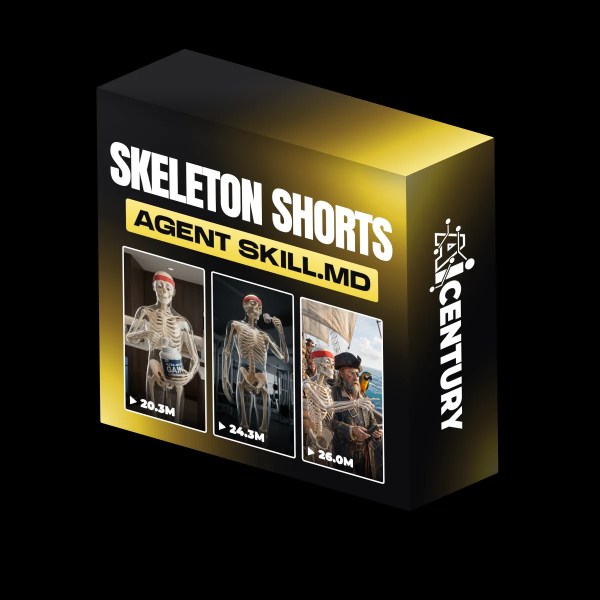
Skeleton Shorts (Instant Download)
Skeleton Shorts is an agent skill for Claude, ChatGPT or any other AI chatbot that writes cinematic 3D text-to-image prompts for skeleton character videos. Type a one-line idea like walking outside, paste a full script or upload an image, and your chatbot writes one main scene prompt plus five b-roll prompts around it. Once it is set up in your chatbot, it gives every scene its own emoji heading and copy-ready block. Each prompt places the skeleton character in the scene, names the lighting and the camera angle, and keeps the skeleton in the same clean 3D style as your reference.🔥 Product Features and Benefits
💀 One Skeleton, Every Shot
Skeleton characters often change shape or style from one image to the next. Every prompt here tells the image model to keep the skeleton consistent with the reference image you choose, in the same clean cinematic 3D style. You pick the reference once, and all six prompts are written around it.🎬 B-Roll That Follows The Story
From a one-liner you get a main scene plus five shots around it: for walking outside, that means stepping off a bus, waiting at a crosswalk or glancing into a coffee shop. Paste a full script and the five b-roll shots are linked to the story. Upload an image and they are built around what is in it.💡 Short Prompts With Light And Angle
Each prompt is short, visual and specific, and names its lighting and camera angle, for example soft daylight with long shadows from a mid-level tracking angle. Every scene has its own heading and block, so you can paste the prompts one by one.⚙️ What you need
- An AI chatbot: Claude, ChatGPT or any other. To start from an image, use one that can read uploaded images.
- A reference image of your skeleton character, and an AI image model that can use it.
- Credits on whichever model you use.
- No coding, and nothing to install besides the skill.
📥 How to Use
- Download the Skeleton Shorts skill.
- Add it to Claude, ChatGPT or any other AI chatbot you use.
- Type a one-line idea, paste your script or upload an image.
- Copy the main scene prompt and the five b-roll prompts.
- Paste each one into your image model with your skeleton reference image attached.