
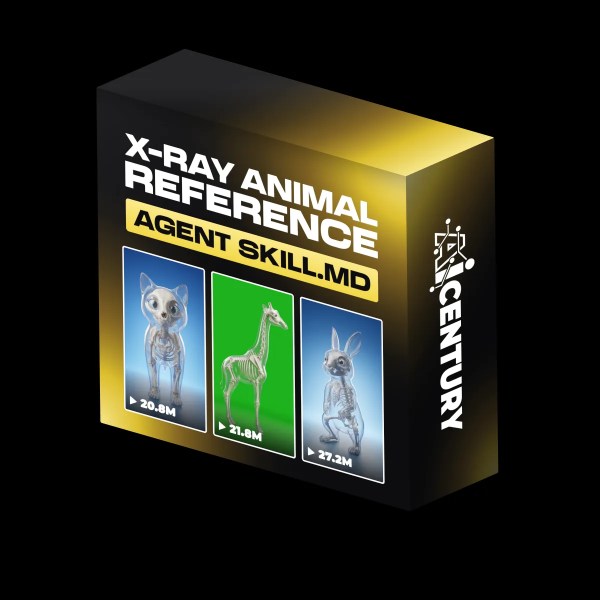
 FREE
🦴 Type any animal → get copy-ready 3D x-ray render prompts with a see-through glass body and full skeleton, on green screen and blue studio, in front, side or custom views. Read more
Product Description
X-Ray Animal Reference (Instant Download)
X-Ray Animal Reference is an agent skill for Claude, ChatGPT or any other AI chatbot that turns any animal into reference-style 3D x-ray renders. You type an animal, or a list of them, and your chatbot writes prompts for a cute, stylised animal with a body as clear as glass and its full skeleton visible inside, on a green screen and in a blue gradient studio. Once it is set up in your chatbot, it writes four prompts per animal by default, a front view and a side profile on each background, or one prompt per background for every custom viewpoint you add, such as a close-up paw, a back view or a top-down view.🔥 Product Features and Benefits
🦴 A Skeleton You Can Actually See
X-ray animal images often come out murky, with the skeleton half hidden or out of proportion. Every prompt here asks for a semi-transparent outer body like clear glass, with the full internal skeleton clearly visible and anatomically correct. The look stays cute and stylised, with a slightly oversized head, big expressive eyes and clean, smooth shading.🟩 Green Screen And Blue Studio
Every viewpoint comes in two versions. The Green Screen prompt uses a flat chroma key green (#00FF00) background and floor with no props, and the Blue Gradient Studio prompt uses a light-to-deep blue backdrop with a slightly glossy floor and a soft reflection.🎥 Front, Side Or Any View You Name
With no extra words you get a front view facing the camera and a perfect side profile facing right. Add viewpoints such as close-up paw, close-up mouth, 3/4 view or low angle, and each one gets its own pair of prompts with soft, even studio lighting and consistent scale. Several animals in one message each get their own clearly labelled set.⚙️ What you need
- An AI chatbot: Claude, ChatGPT or any other.
- An AI image model to paste the prompts into.
- Credits on whichever model you use.
- No coding, and nothing to install besides the skill. You type an animal and get prompts.
📥 How to Use
- Download the X-Ray Animal Reference skill.
- Add it to Claude, ChatGPT or any other AI chatbot you use.
- Type one animal, or several separated by commas, for example dog, cat.
- Add any viewpoints you want, such as close-up paw or back view, or leave them out for front and side views.
- Paste each prompt into your image model to render the green screen and blue studio versions.